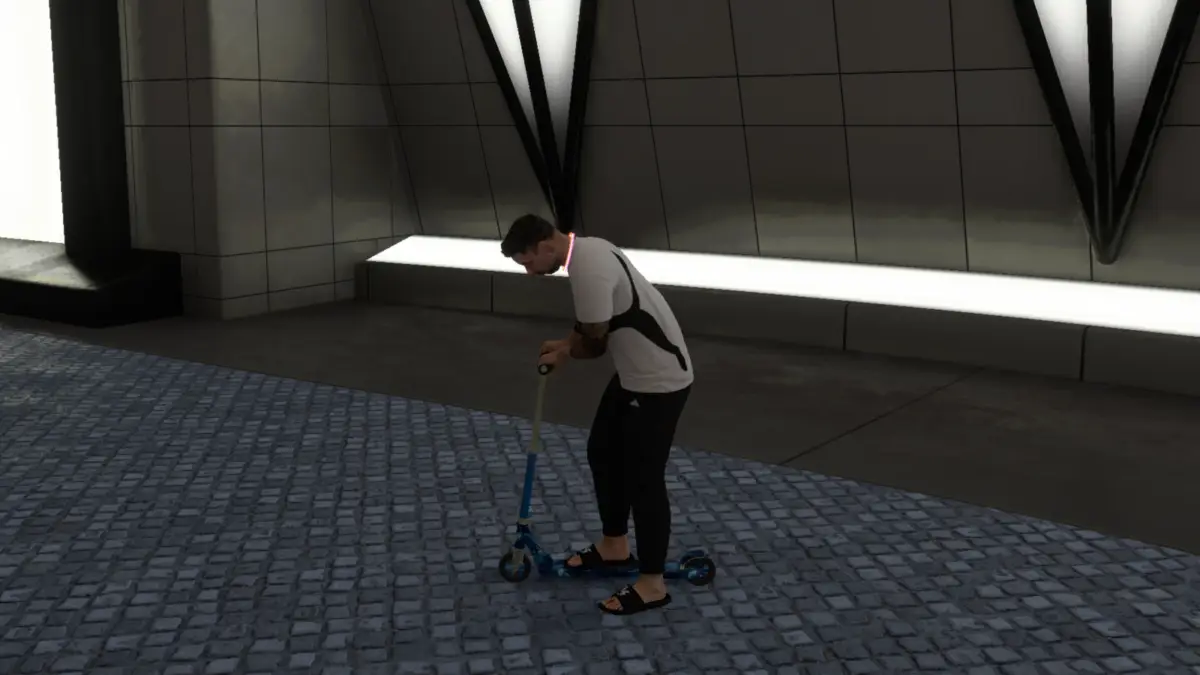
The Waves Scooter in NBA 2K27 is one of the early transportation options you can add to your MyPLAYER while exploring The City. Since NBA 2K27 gives you plenty to do as soon as you arrive, it is easy to focus on games, builds, rewards, and other activities while overlooking some of the useful equipment available along the way.
Here is how to unlock the Waves Scooter in NBA 2K27 and equip it for use around The City.
How to Get the Waves Scooter in NBA 2K27
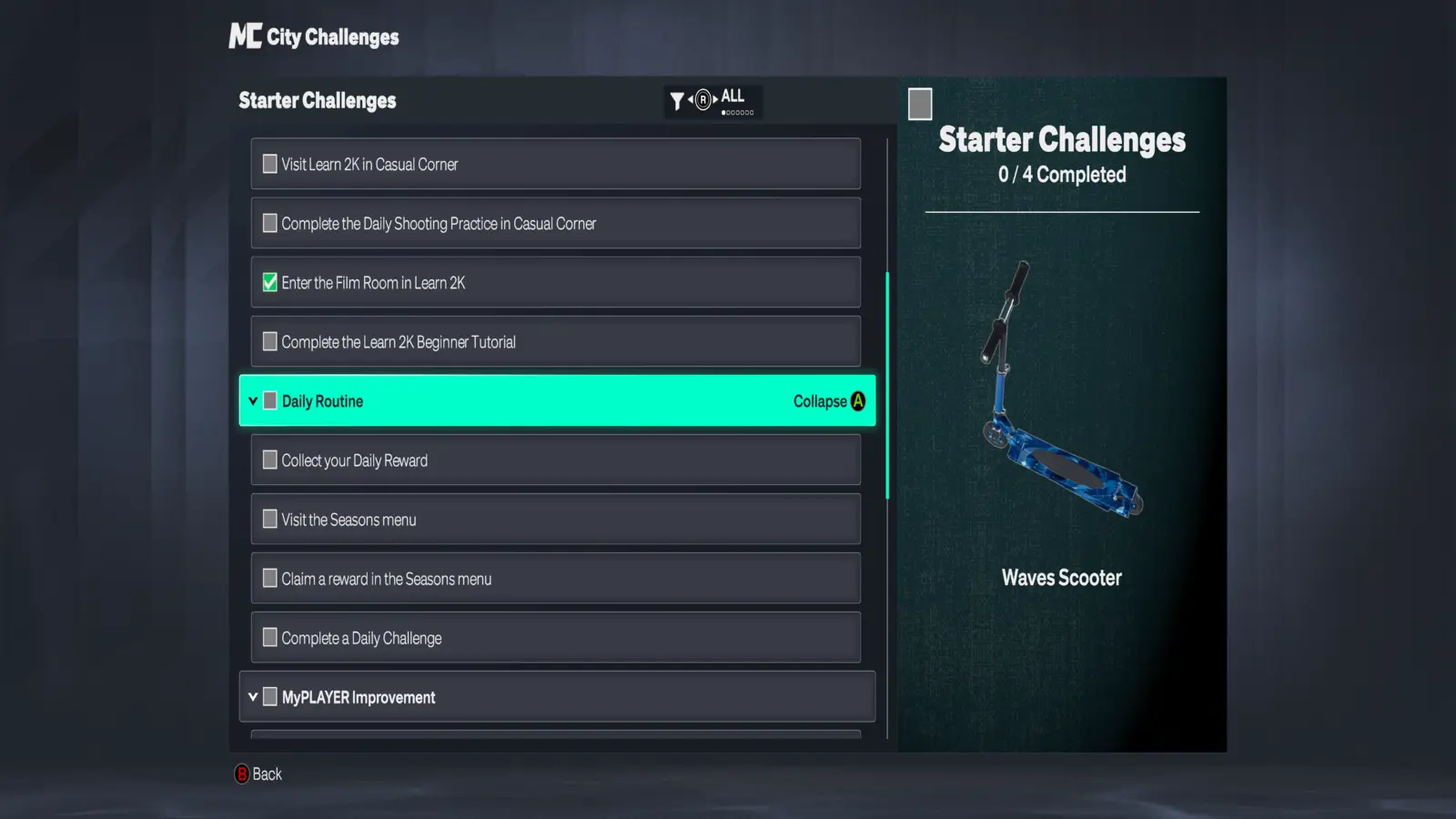
Complete all four Daily Routine objectives under Starter Challenges to unlock the Waves Scooter.
To find the challenge, pause NBA 2K27 and open the Quests/Challenges tab. From there, enter City Challenges, select Starter Challenges, and expand the Daily Routine section.
You need to complete these four objectives:
- Collect your Daily Reward.
- Visit the Seasons menu.
- Claim a reward in the Seasons menu.
- Complete a Daily Challenge.
Most of these only require visiting menus or collecting rewards you already have available. The Daily Challenge is the only objective that may require you to spend a little more time in The City.
You can track your progress from the Starter Challenges screen. The Waves Scooter appears in the reward panel, along with your current completion total.
After completing all four Daily Routine objectives, return to the challenge menu if the reward does not immediately appear. The Waves Scooter should then be available in your MyPLAYER equipment.
Unlike seasonal rewards that can disappear when a new week or season begins, the Waves Scooter is tied to NBA 2K27’s introductory Starter Challenges. That makes it a useful early vehicle for any new MyPLAYER.
How to Equip the Waves Scooter in NBA 2K27
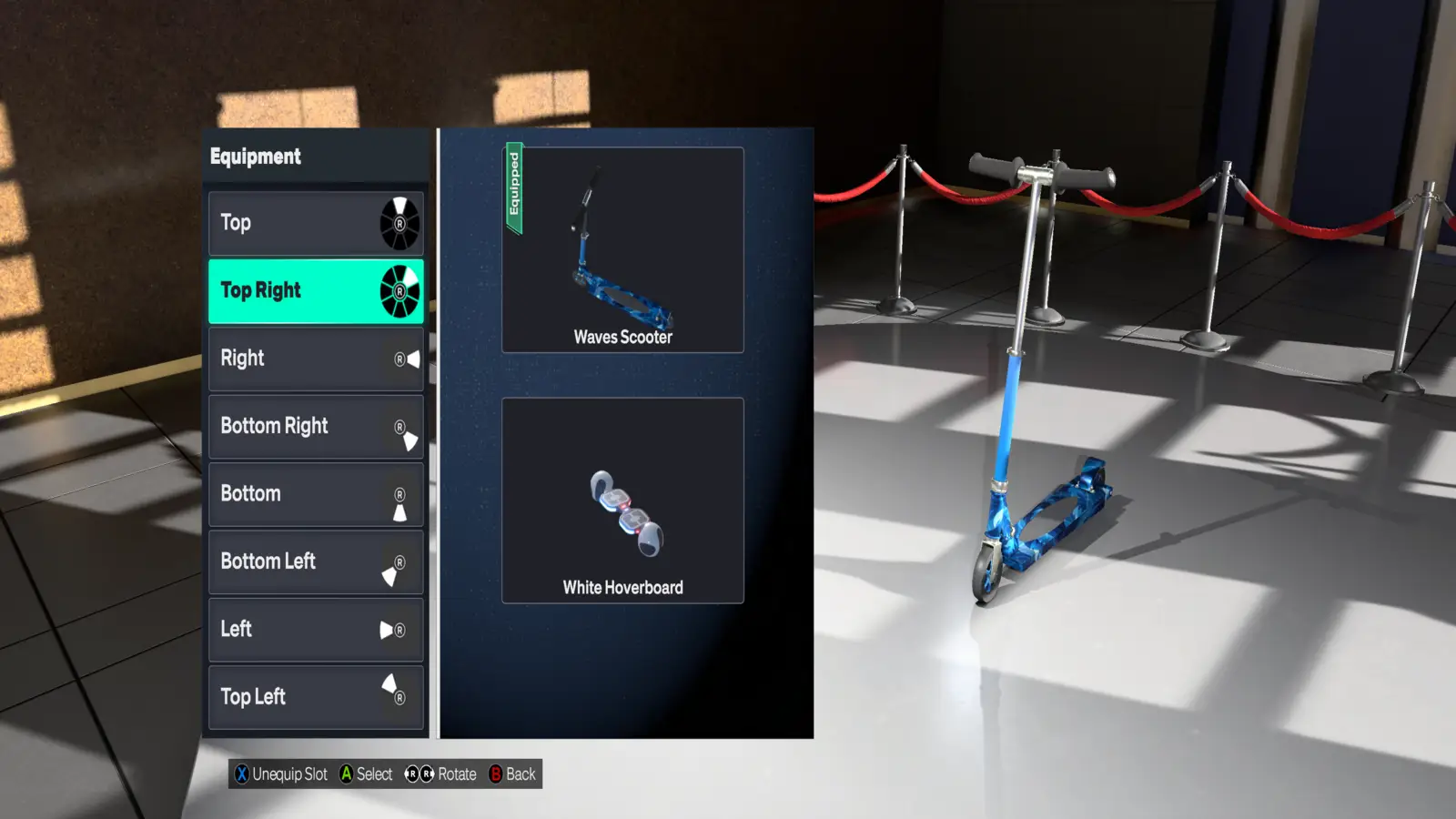
Unlocking the Waves Scooter does not automatically make your MyPLAYER ride it. First, you need to assign the scooter to one of your equipment shortcut slots.
To equip the Waves Scooter:
- Pause the game while using your MyPLAYER.
- Open the MyPLAYER tab.
- Select Equipment.
- Choose one of your available equipment assignment slots.
- Find and select the Waves Scooter.
- Return to The City.
- Open your equipment shortcuts and select the Waves Scooter.
On Xbox, you can access your assigned equipment using LB while exploring The City. PlayStation players use L1, while the corresponding equipment shortcut can be used on other platforms.
Once selected, your MyPLAYER will pull out the Waves Scooter and you can start riding around The City.
The scooter is especially useful early in NBA 2K27 because many Starter Challenges send you between different locations. Unlocking it before working through the rest of the City Challenges can save you some running around on foot.