Animal Hospital anomalies can reveal themselves at the reception window, inside a developed photograph, or only through CCTV. Other threats skip the check-in process and appear beneath beds, on ceilings, inside cameras, or during special shifts. This guide covers the known warning signs and hospital monsters, including the newer Slimebert and Tiny Anomaly encounters.
How to Identify Anomalies in Animal Hospital
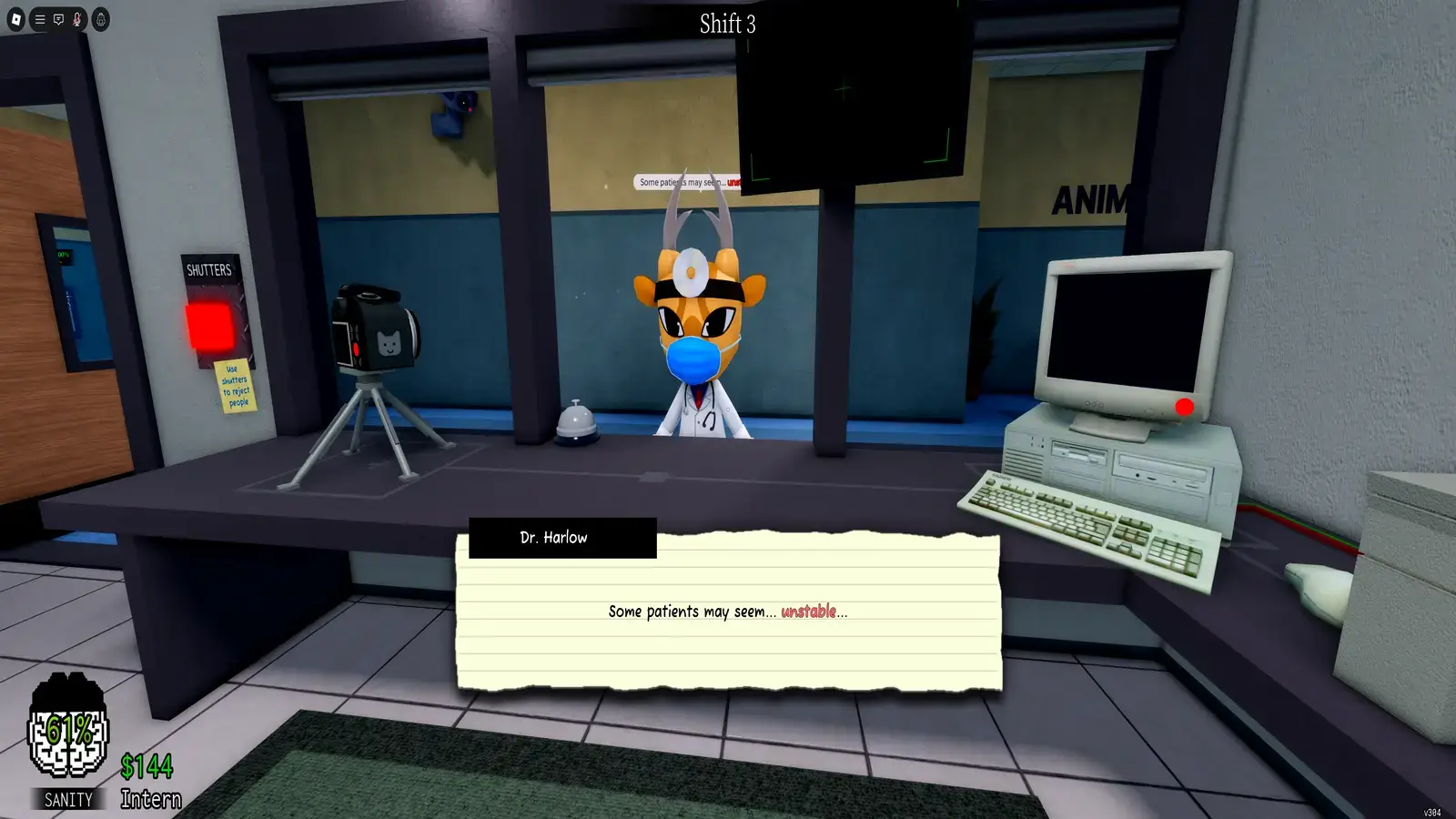
Check every patient in this order: inspect their appearance, take a photograph, open CCTV, and compare each view before admitting them. Close the shutters if you confirm any abnormal feature.
Follow this routine at reception:
- Study the patient’s eyes, teeth, face, posture, and movement.
- Take a photograph and let it finish developing.
- Compare the patient with the developed photo.
- Open the waiting-room or lobby camera.
- Watch the CCTV feed for several seconds.
- Close the shutters if one check reveals a confirmed anomaly.
A patient can display more than one warning sign. Finding one clear anomaly is enough to reject them, but a normal appearance does not mean they are safe. Some of the hardest anomalies only appear in the photo or CCTV feed.
Appearance Anomalies at the Reception Window
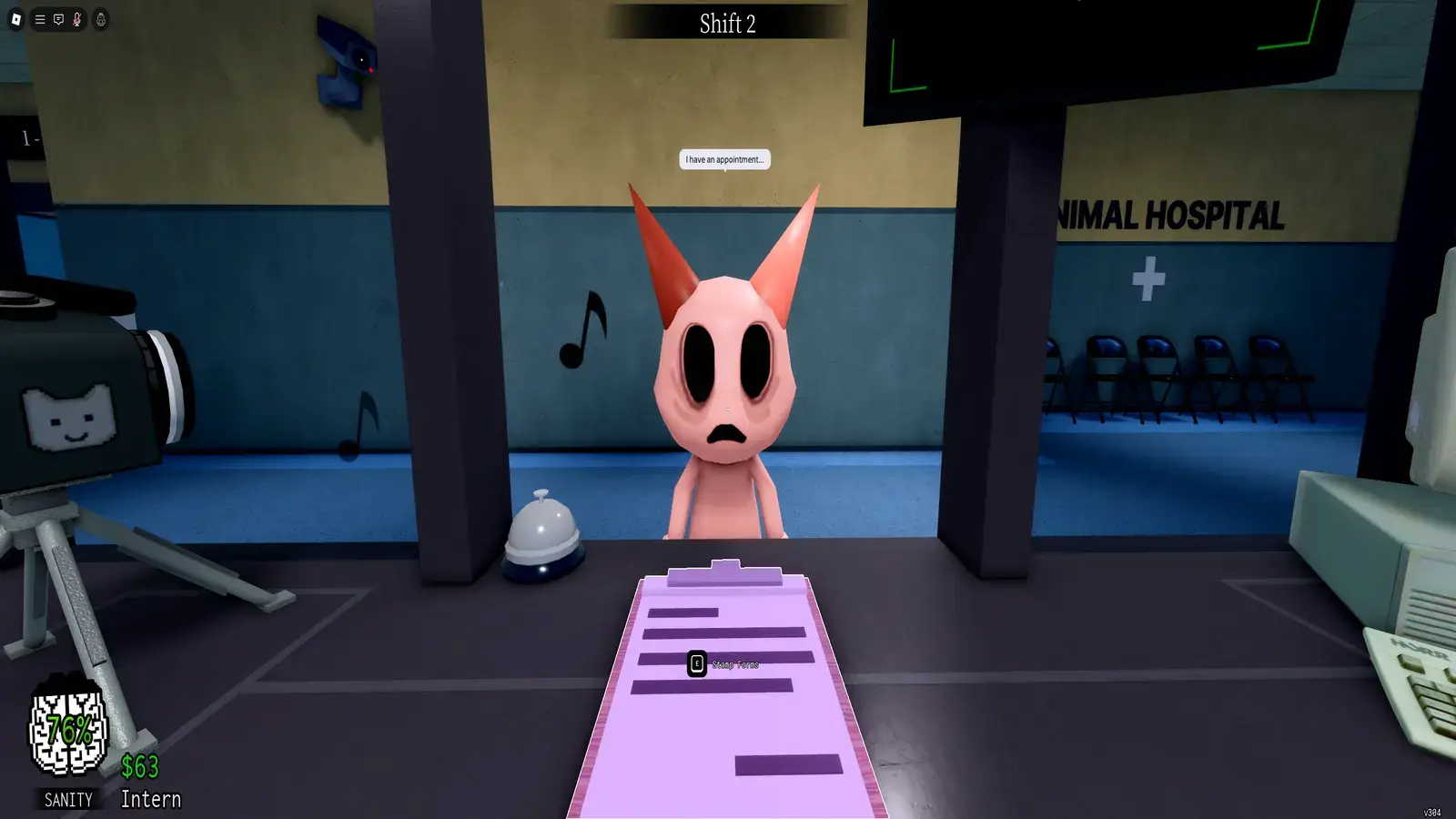
Appearance anomalies are the easiest to catch because they do not require equipment. Pause before reaching for the camera and look closely at the face.
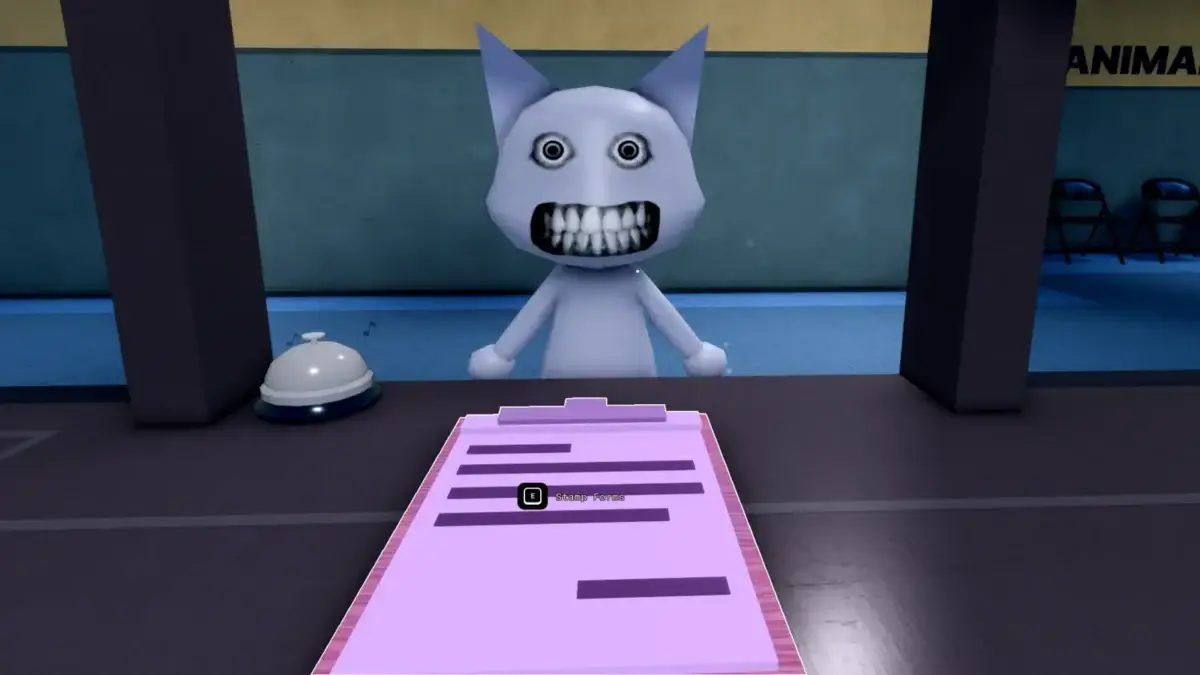
The most obvious signs are extra eyes, hollow sockets, human teeth, sharp teeth, mismatched eyes, and an unnatural smile. Twitching is harder because the movement may only happen every few seconds.
Some appearance anomalies also speak with a lower or distorted voice. Treat that as supporting evidence rather than ignoring a patient because their character model looks normal.
A hunched posture is another warning sign commonly linked with Mimics and twitching patients. If the posture looks unnatural, continue checking the photo and CCTV instead of immediately admitting them.
Photograph Anomalies
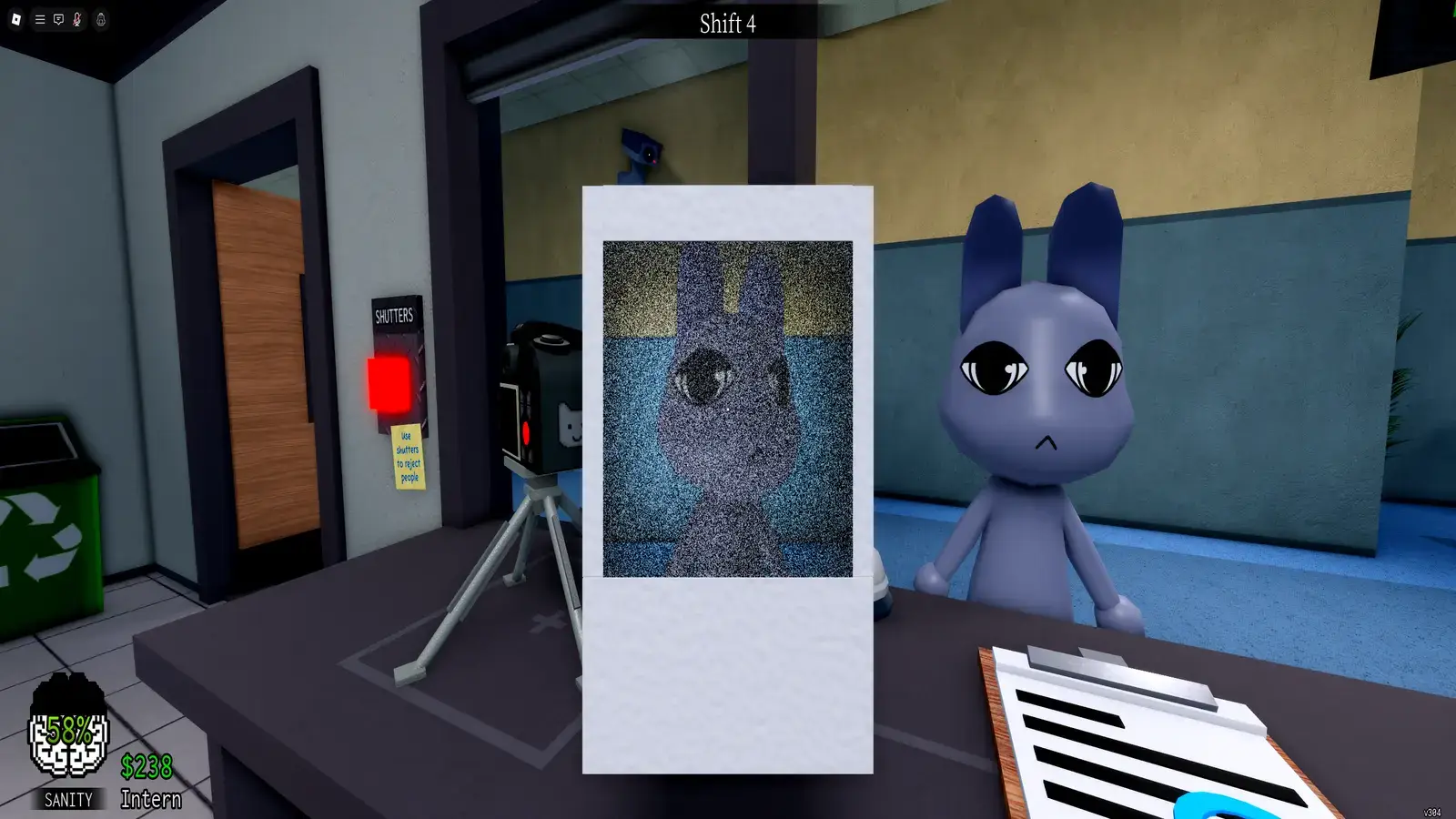
Every normal-looking patient should be photographed. Let the image develop fully, then compare the eyes, ears, mouth, fur color, markings, and species with the animal standing outside.
Do not pick up a developing photograph unless necessary. Cursed photos can reduce Sanity, while the important visual details are often visible while the image remains on the counter.
Does a Static Photo Mean the Patient is an Anomaly?
A static photo is no longer enough by itself to confirm an anomaly. Current community documentation says a patient showing only static may be legitimate after a June 2026 change.
Treat static as a warning to slow down. Check the live patient, CCTV, movement, and other details. Do not shoot or tase someone solely because their photo contains static.
However, static combined with a changed face, cursed expression, twitching, or CCTV anomaly remains grounds for rejection.
CCTV Anomalies
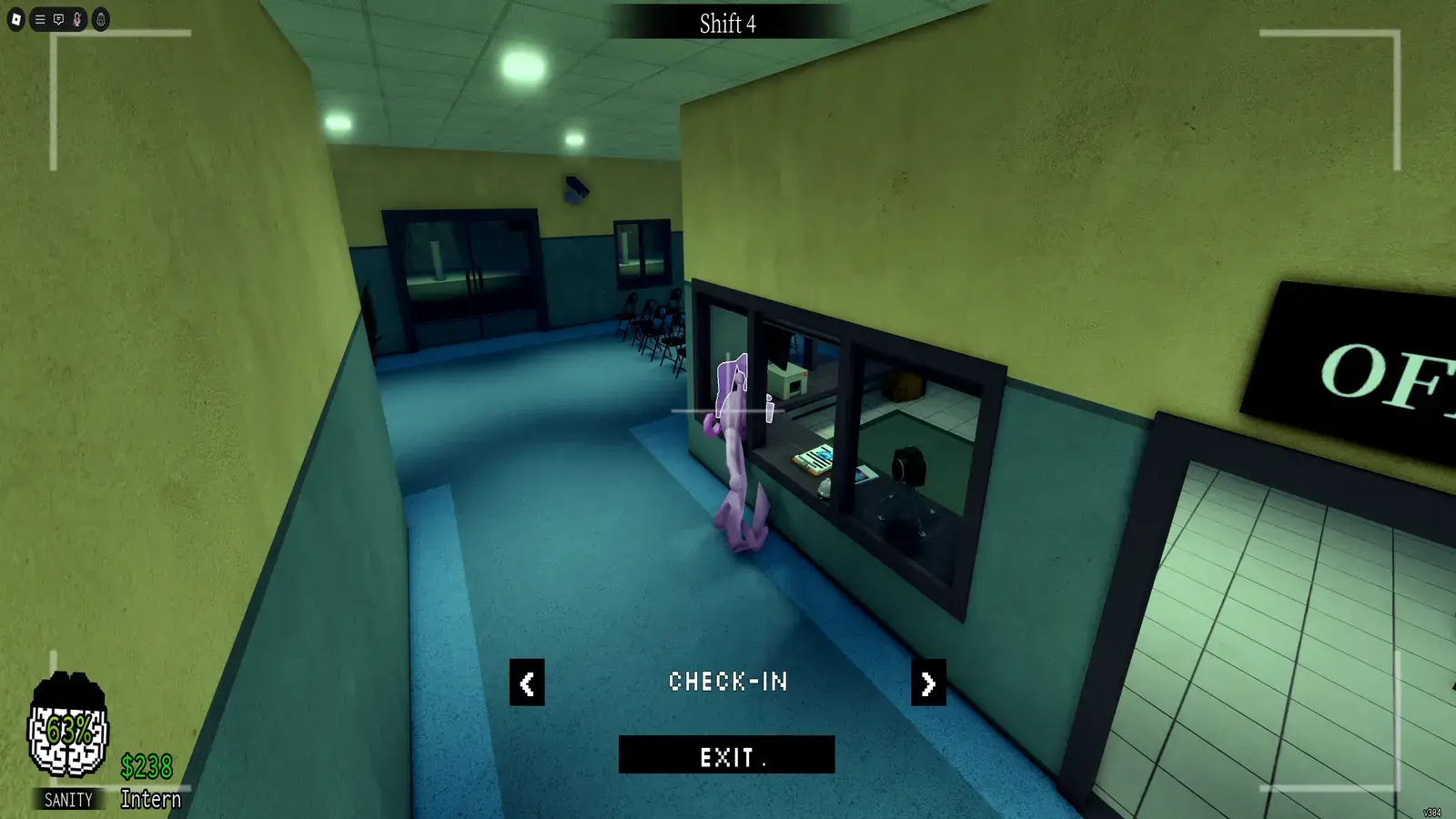
CCTV catches patients that look normal at the window and in photographs. Use the lobby or waiting-room camera because it usually provides a clearer side view than the camera aimed directly at check-in.
Watch the patient for several seconds. A quick glance can miss twitching or camera-staring behavior.
Compare the body shape, ears, eyes, face, and posture with what you saw at the window. Black silhouettes, stretched limbs, censored eyes, and transformed Skinwalkers should be rejected immediately.
Be careful if the feed begins zooming toward a dark figure. That is a separate Camera Figure threat, not a patient-identification clue. Exit the feed before it reaches the screen.
All Patient Anomalies in Animal Hospital
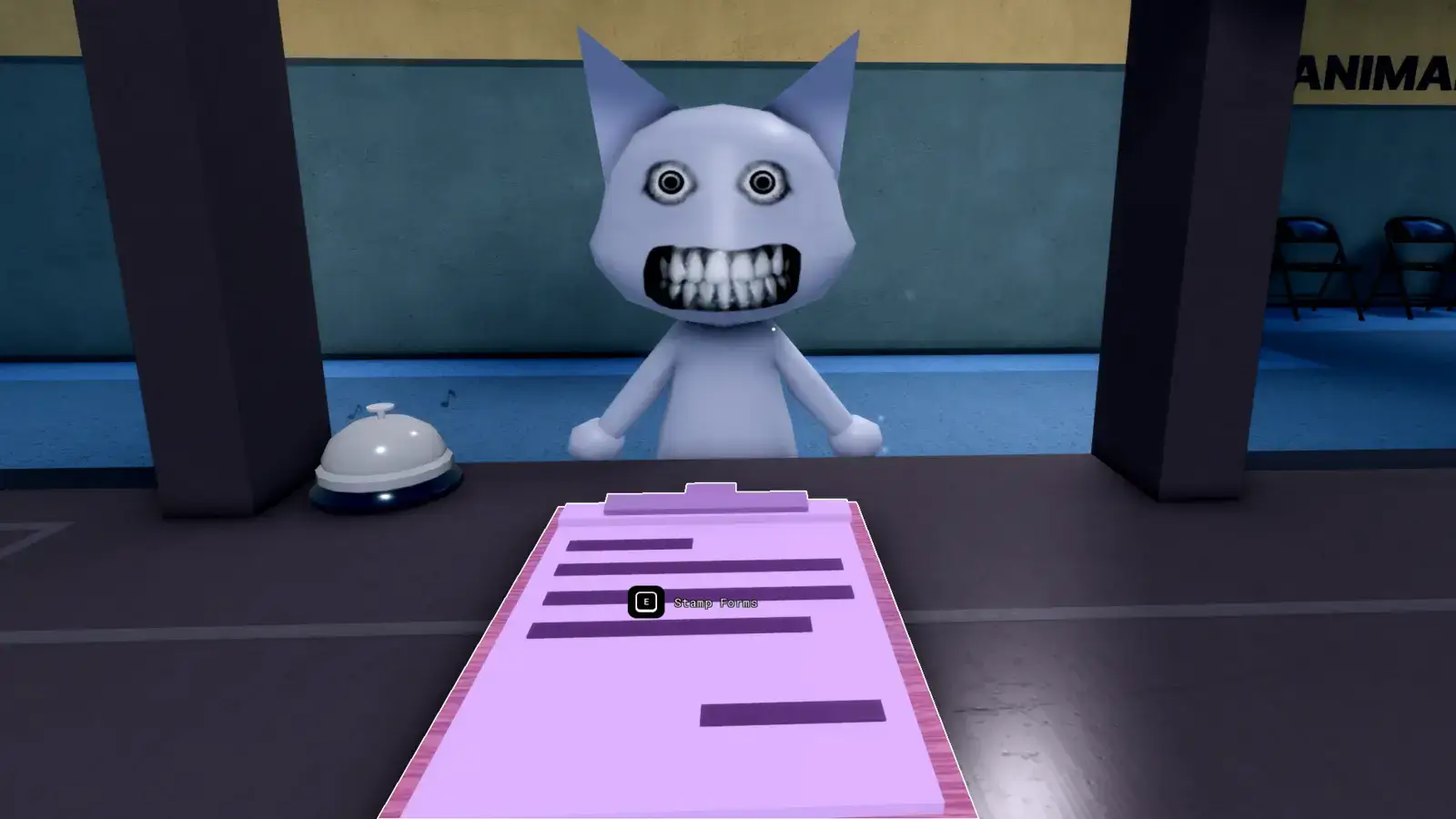
The table below contains 20 commonly documented patient-identification signs. Some are different versions of the same anomaly, so this should not be read as 20 completely separate creatures.
| Anomaly | Where to Check | How to Identify It | What to Do |
|---|---|---|---|
| Three Eyes | Reception window | The patient has three glowing red or orange eyes. Its normal eyes may remain visible underneath. | Close the shutters immediately. |
| Hollow Face | Reception window | The patient has empty black eye sockets, a lifeless expression, and sometimes a hunched posture. | Reject the patient. |
| Wide Eyes and Creepy Smile | Reception window | The patient has unusually large eyes and a wide, drawn-on grin. | Reject the patient. |
| Human Teeth | Reception window | The animal has a realistic set of human teeth instead of normal animal teeth. | Reject the patient. |
| Mismatched Eyes and Sharp Teeth | Reception window | The eyes sit at different heights, while the mouth contains sharp or distorted teeth. | Reject the patient. |
| Twitching | Reception window | The head, neck, arms, or upper body jerk repeatedly while the patient waits. | Watch for several seconds, then reject if the twitching repeats. |
| Incorrect Photo | Developed photo | The photograph shows a different color, marking, species, or character model. | Close the shutters. |
| Different Eyes | Developed photo | The eyes in the photograph do not match the live patient. Pupils, eyelids, number, or shape may change. | Reject the patient. |
| Different Ears | Developed photo | The photo shows different ears, horns, colors, or ear shapes. | Reject the patient. |
| Unnatural Photo | Developed photo | The live patient looks normal, but the photo shows a distorted face, strange teeth, or a creepy grin. | Reject the patient. |
| Static Photo | Developed photo | Static or heavy grain covers the image. Static alone may no longer confirm an anomaly. | Complete every other check and reject if another warning sign appears. |
| Cursed Photo | Developed photo | The photo shows bloodshot eyes, a disturbing grin, or another cursed appearance. Handling it too early can drain Sanity. | Let it finish developing, avoid picking it up, and reject the patient. |
| Censored Eyes | CCTV | A black rectangle covers the patient’s face, with realistic eyes visible inside or over it. | Close the shutters. |
| Unnatural Body | CCTV | The body appears stretched, twisted, or badly proportioned. Its shape may change when you reopen the camera. | Reject the patient. |
| Hollow Face on CCTV | CCTV | The patient looks normal in person, but empty eye sockets appear on the camera. | Reject the patient. |
| Staring at Cameras | CCTV | The patient looks directly into the security camera and continues tracking it while moving. | Reject the patient. |
| Void Body | CCTV | The patient appears as a completely black silhouette with few or no visible features. | Reject the patient. |
| Mismatched Ears or Eyes | CCTV | The ears, eyes, or facial features differ between the live patient and the camera feed. | Compare carefully, then reject if they do not match. |
| Camera Twitching | CCTV | The patient remains still at the window but twitches on the security feed. | Watch for several seconds, then reject. |
| Disguised Skinwalker | CCTV | The patient reveals a large mouth, sharp teeth, long tongue, or other transformed features only on camera. | Close the shutters before admitting it. |
All Animal Hospital Monsters and Special Anomalies
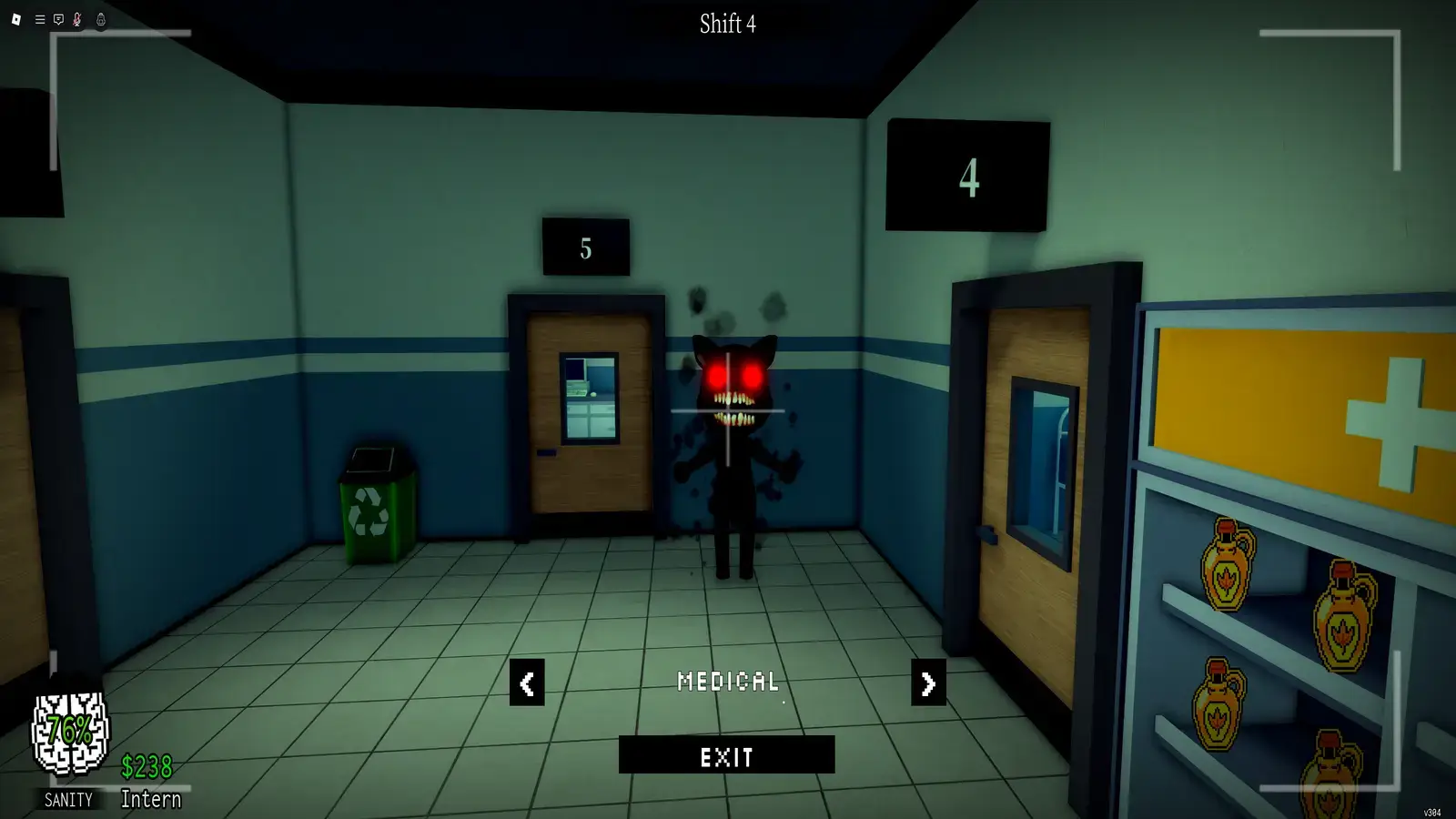
These threats are not handled like normal patients. Most cannot be stopped by closing the reception shutters because they appear inside the hospital or during special events.
| Threat | How to Identify It | How to Survive |
|---|---|---|
| Mimic or Shapeshifter | An admitted patient says it is hungry and transforms into a white monster with a huge mouth and sharp teeth. | Use a Taser or Gun quickly. Mash the interaction key if it grabs you. |
| Bed Monster | Long black arms and glowing eyes appear underneath a hospital bed. | Approach while holding Maple Syrup to make it disappear. |
| Head Banger | A pale animal repeatedly strikes its head against the reception glass and blocks the shutters. | Give it Coffee or wait for it to leave. Interacting without Coffee drains Sanity. |
| Ghost | Doors move, white particles appear, or a translucent figure begins draining nearby Sanity. | Reveal it with a Fire Extinguisher, then hit it from behind with a Taser or Gun. |
| Stalker | A tall black creature waits near hallway corners and causes nearby lights to flicker. | Do not stare directly at it. Lower the camera and move past it. |
| Tendril | Purple tentacles emerge from a patient during surgery in Room 8. | Continue and complete the surgery. Do not shoot or tase the patient. |
| Camera Monster | A black creature with red eyes appears on a broken CCTV feed as the camera slowly zooms closer. | Exit the camera immediately and repair the affected feed. |
| Mass of Eyes | A red mass covered in eyes appears on the ceiling, usually with a warning not to look up. | Keep the camera lowered. Eye Drops can be used to clear the threat. |
| Hiders | Thin creatures blend into walls, windows, curtains, or other surfaces. Heavy breathing may reveal them. | Keep your distance and move away. Use the Fire Extinguisher if needed. |
| Slimebert | A large slime creature enters during the special Slime Shift and slowly roams the hospital. | Avoid it until the shift ends. A Fire Extinguisher can stun it briefly. |
| Tiny Anomaly | A miniature patient anomaly appears during check-in, behaving like a smaller version of a normal Mimic. | Run the usual checks and reject it. Do not let its size convince you it is harmless. |
| Death Ritual | Candles appear around a recovering patient while a timer begins. | Extinguish every candle before time expires. Keep Sanity recovery items ready. |
What is the Difference Between a Skinwalker and a Mimic?
Skinwalker, Shapeshifter, and Mimic are names commonly used for the same type of transformed enemy.
At reception, a disguised Skinwalker may reveal its true appearance only on CCTV. If you miss the warning and admit it, the patient can later transform into a hostile Mimic inside the hospital.
The first stage is an identification problem. The transformed version is an active threat that must be stopped before it kills a player or patient.
How to Survive Slimebert
Slimebert was added with the Hazmat update and appears during the special Slime Shift. It checks in at reception but forces its way into the hospital regardless of your decision.
Slimebert cannot be killed with standard weapons. It moves slowly and does not actively sprint after players, so the best strategy is to track its route and stay out of the hallway it enters.
A Fire Extinguisher can stun Slimebert for a short time. Save the extinguisher charge for situations where it blocks your route or corners you near a treatment room.
Getting swallowed causes a large immediate Sanity loss followed by additional damage. The encounter ends when the shift finishes.
How to Deal With the Ghost
Ghosts can appear after a patient dies. They are difficult to spot at a distance, but nearby doors may open, particles can appear, and the Ghostly Presence effect begins draining Sanity.
Spray the area with a Fire Extinguisher to reveal the Ghost. Once visible, attack it from behind with a Taser or Gun to remove it.
The best way to prevent Ghosts is to keep patients alive. Throwing fainted patients into the trash can also contribute to additional Ghost spawns.
Which Events Are Not Anomalies?
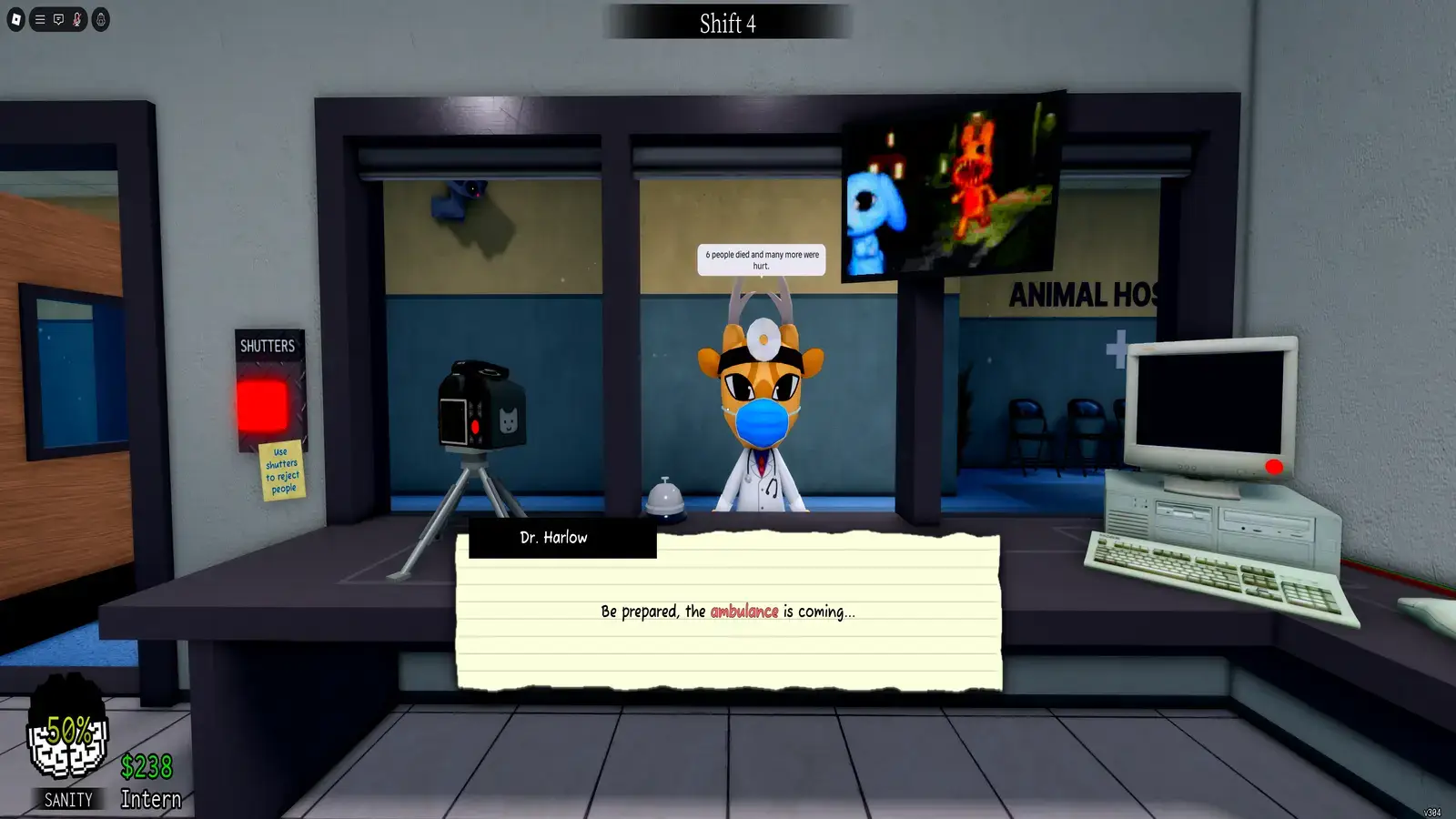
Not every emergency means you admitted an anomaly. Keep these separate from the patient-identification list:
- A fainting patient needs to be carried to their assigned bed.
- A burning patient needs the fire removed and may require Ointment.
- A critical patient must reach recovery before the timer ends.
- A room fire must be extinguished.
- An Ambulance event sends several patients into the hospital at once.
- Ordinary green slime is an environmental hazard that can be cleaned.
Patients arriving through emergencies can still be anomalies. A patient on fire should be checked once the fire is controlled because the flames may interfere with the photograph.
Final Thoughts on Animal Hospital Anomalies
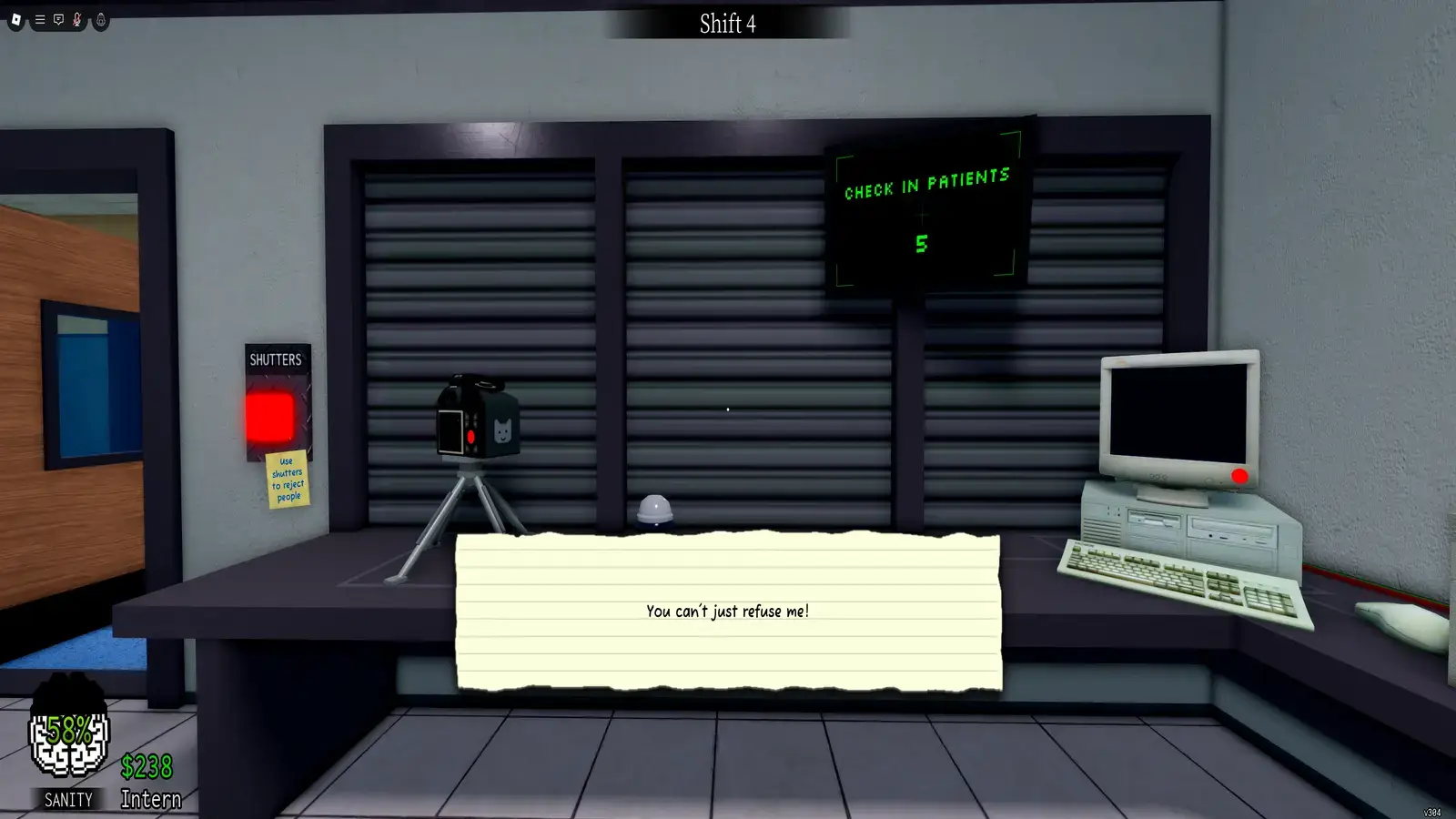
Animal Hospital does not have one universally agreed count because community lists split or combine visual variants, CCTV tells, transformed Mimics, and roaming monsters differently. The safest approach is to learn the detection categories rather than memorize one number.
Check every patient at the window, in a developed photo, and through CCTV. Once an anomaly gets inside, the response depends on the threat, so keep Coffee, Maple Syrup, Sanity items, and a Fire Extinguisher within reach.