

This Talystro playtest guide covers what Filiokus’ current playtest branch looks like in action, including what’s in the demo, how the dice combat flows, and where the build still feels rough. After putting about 6 hours into runs across Normal and Expert, the main takeaway is clear: Talystro’s dice-and-card puzzle combat is genuinely fun, but a few missing quality-of-life features and some stability issues can undercut longer sessions.
Playtest Content and Run Length
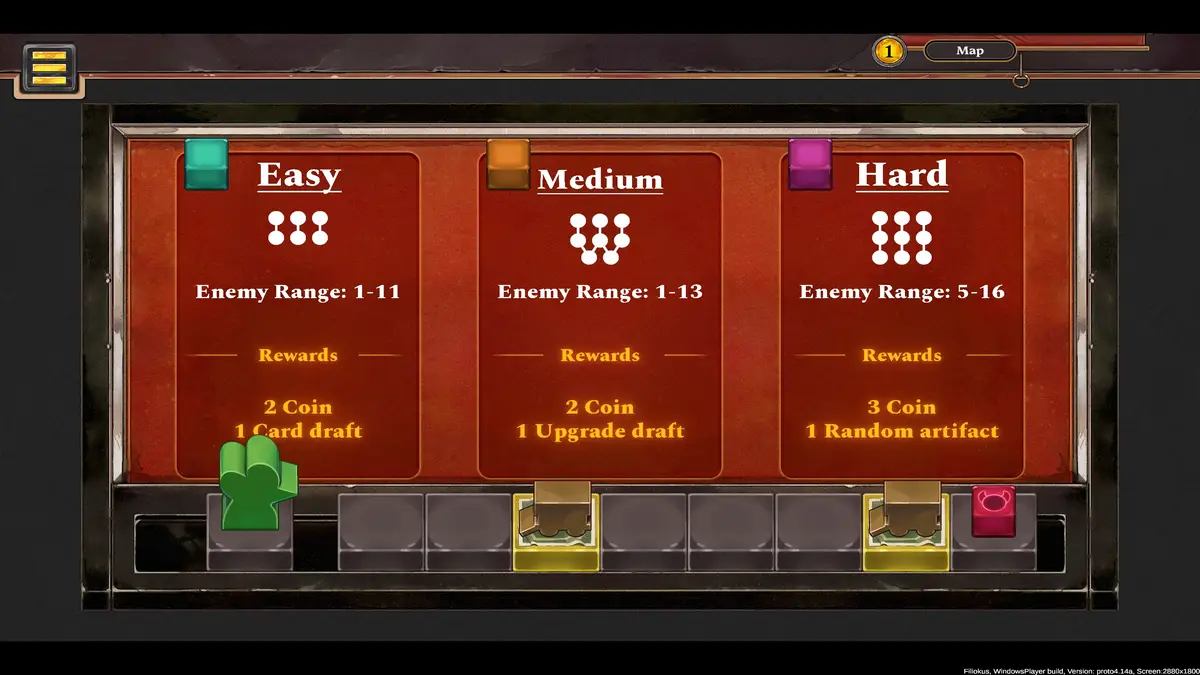
The playtest includes Tutorial, Normal, and Expert modes. Normal and Expert also let you choose Easy, Medium, or Hard difficulties, which increases the number of enemies on the map, boosts their life, and improves rewards.
Expert mode includes nine levels, and my first clear took roughly 45 minutes. After multiple attempts and plenty of retries while testing different choices, that length feels like a sweet spot for learning the systems, then pushing them until the cracks start to show.
Gameplay and Systems
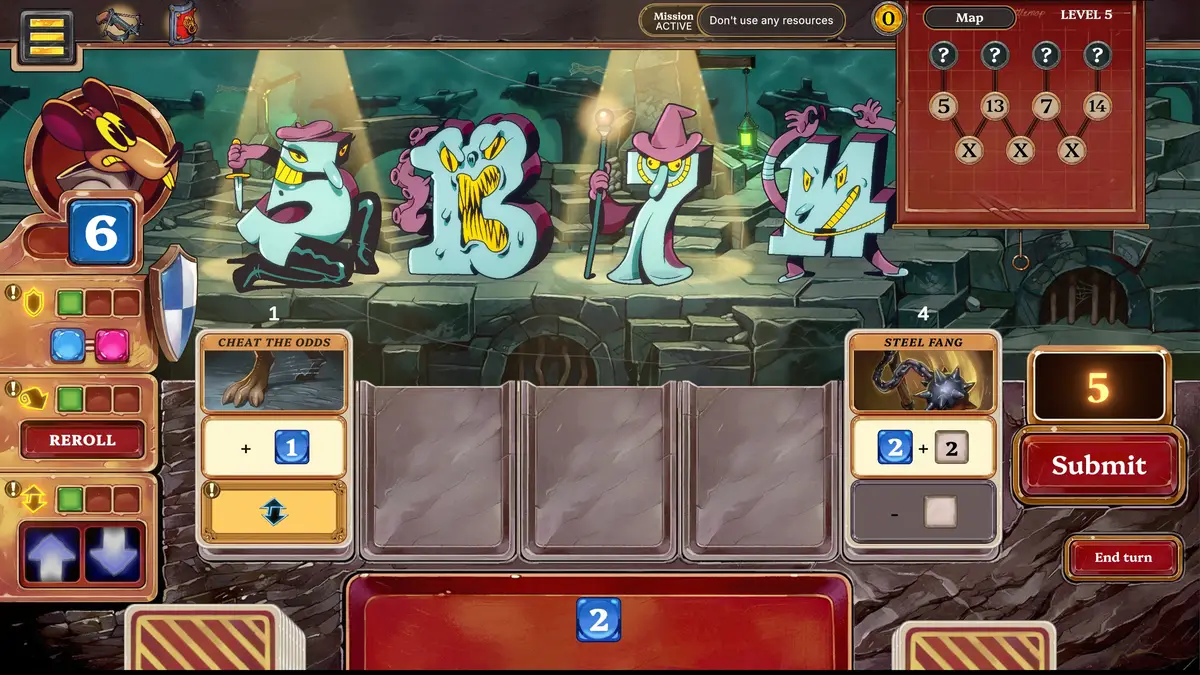
After several hours during the playtest, Talystro’s identity is still its dice-and-cards loop. It rewards quick math, smart sequencing, and knowing when to spend resources to turn a bad roll into a winning turn.
Dice Combat and the “Calculator” Readout
Each enemy presents a target number, and you defeat them by combining dice to match it. Cards also include plus and minus slots, which let you tweak totals when you land close but not perfect.
The tutorial points you toward a “calculator” style display that keeps your current total clear, and enemies visually react when you hit the right number. In practice, that readability matters a lot during later levels where you are juggling blocks, rerolls, and tight totals in the same turn.
Upgrades, Resources, and Extra Actions
Enhancements and resources add the second layer that keeps Talystro from feeling like pure luck. As you progress, upgrades can grant resources and effects that unlock extra actions such as blocking by matching attack dice, rerolling all dice, or raising and lowering a die by 1.
In longer sessions, these tools are what made my wins feel earned. A single +1 or -1 adjustment at the right time is often the difference between cleaning up a fight and taking a hit you cannot afford.
Card Design Highlights and Deckbuilding
Deckbuilding is a real part of the run, but it is more controlled than some other card battlers. You add cards as rewards for completing missions and clearing levels, and you can buy options at shops (which showed up twice per run in my playtime).
The best cards are the ones that reference the current game state, like your total number of cards, total dice, or the enemy’s attack dice. Those designs stayed useful across multiple runs because they scale with what is happening, instead of just being “bigger number is better.”
Shops, Coins, and Artifacts
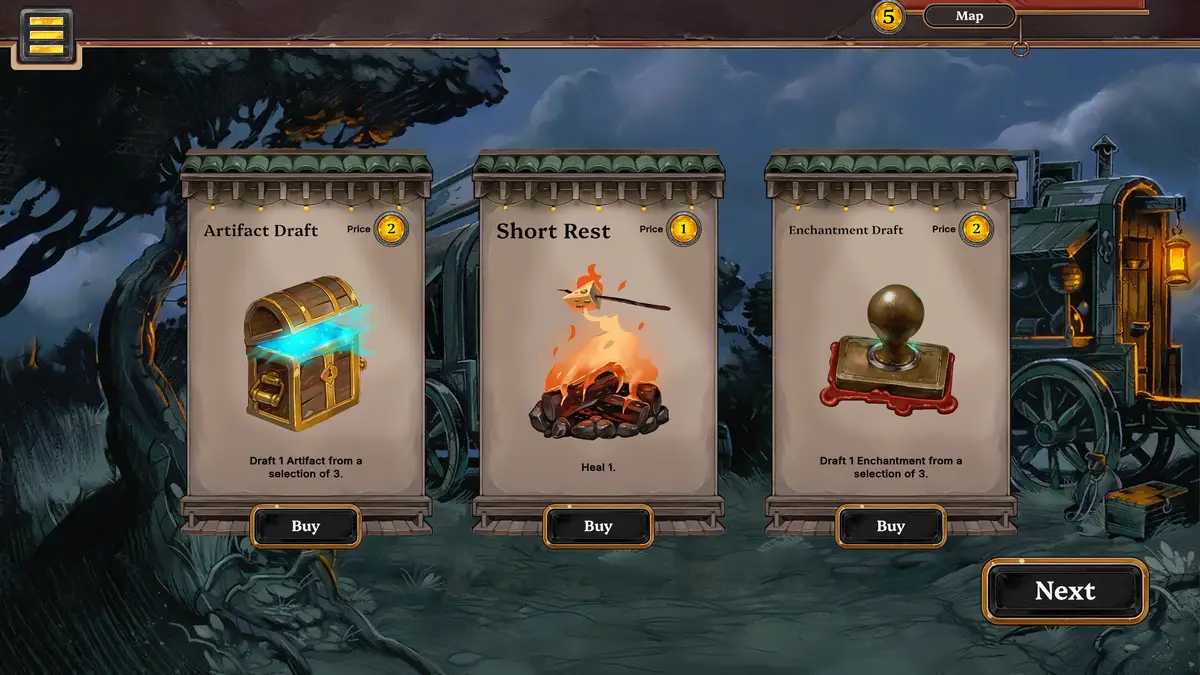
The shop is where Talystro’s runs can spike in power. Coins are earned through missions and level clears, then spent on actions like drafting new cards, adding enhancements, or buying power artifacts that stay active for the rest of the run.
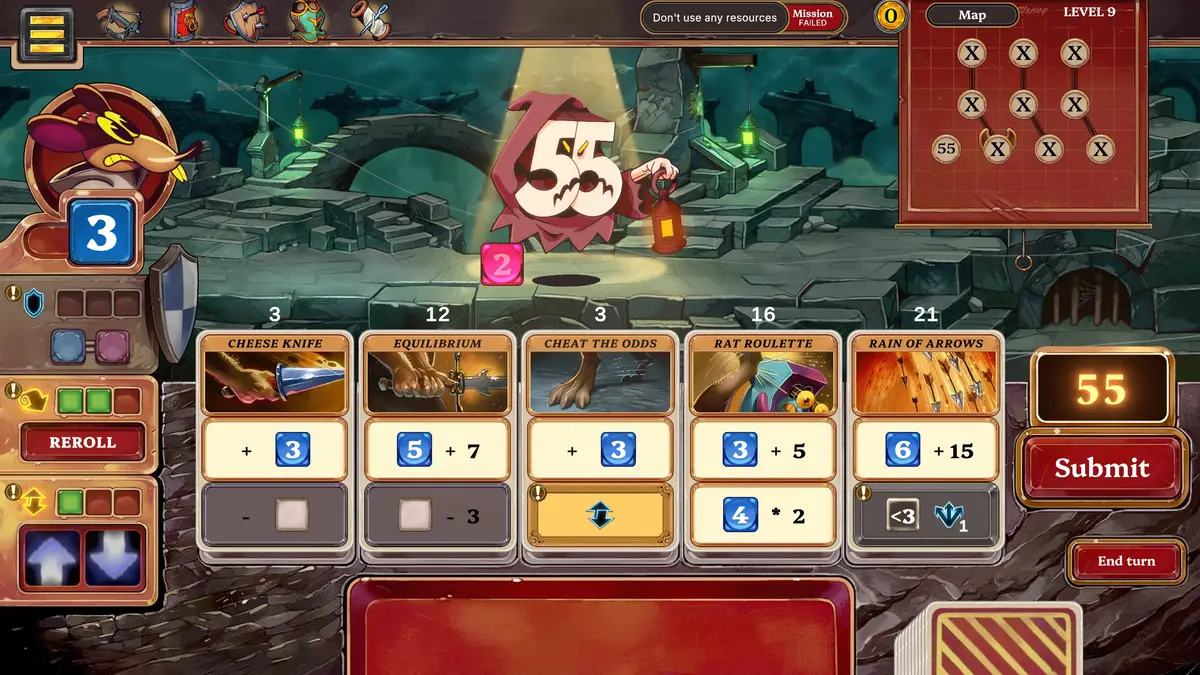
In Expert mode on Easy difficulty, I had 6 coins at each shop. With artifacts priced at 2 coins each, I was able to spend all 12 coins on artifacts by the end of a run. Since artifacts are passive and do not run out, stacking them felt like the most reliable way to stabilize RNG when drafting is limited. The Shield artifact is a great example, since it gives blocks a +/- window, letting you block an enemy attacking for 3 with a 2 or a 4.
One playtest-specific note: on the final boss level, the Crossbow artifact did not work for me, but Shield still did, so artifact behavior may not be fully consistent yet.
Presentation and Accessibility
Talystro’s presentation is readable and charming, but the playtest build is light on audio and modern UI conveniences, which stood out more the longer I played.
Art Style and Readability
Talystro uses a hand-drawn, storybook-style look with bold outlines, expressive enemy designs, and painted backgrounds. Even when the board gets busy, the UI stays readable, which is important in a game that asks you to track numbers quickly.
Music and Sound Effects
There was no music in this playtest branch, and the sound effects were very basic. After a while, I muted them. Audio is easily the biggest presentation gap right now.
UI Support and Steam Deck
The tutorial explains the game well, but outside of it there are no hover tooltips or quick reminders. After hours of play, that missing layer is noticeable, especially when you are trying to remember exact interactions mid-fight.
Steam Deck support also is not there yet. Controller controls are not implemented, so it is mouse-only.
Playtest Issues and Feedback
Most of my feedback comes down to preventing avoidable run losses and making the build more stable during longer sessions.
Misclick Protection Needs a Safety Layer
Talystro currently allows actions that burn dice and or cards even when the move does nothing. There is no warning prompt, and no undo, so that a single misclick can throw away a run, especially deep into tougher levels.
A simple “Are you sure?” prompt for no-impact actions would help immediately. A one-step undo, or a toggle for confirmations, would be even better.
Stability Problems
Two technical issues stood out during my time with the playtest: the game froze my laptop completely, requiring a manual shutdown, and after quitting, it kept running, requiring me to close Steam to stop it fully.
Final Verdict: Is Talystro Worth Playing?
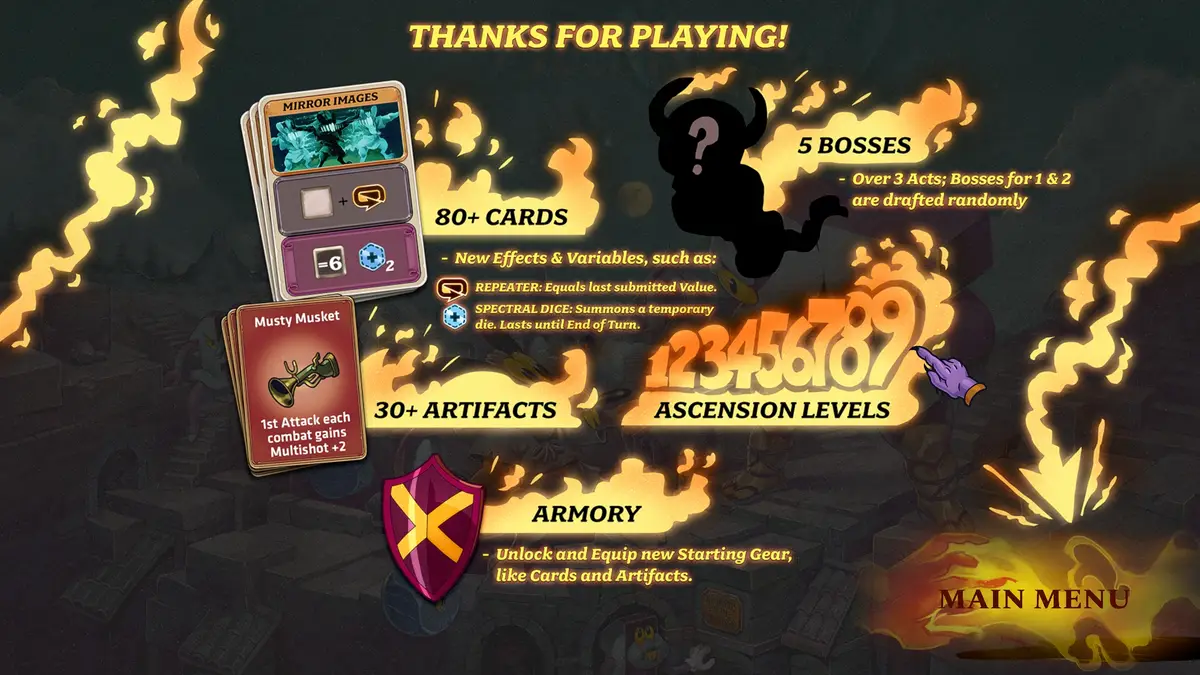
After about 6 hours with the Talystro playtest branch, I’m into what Filiokus is building. The dice combat stays satisfying over repeated runs, and the plus/minus modifiers and upgrades make each turn feel like a real puzzle instead of a coin flip. The shop is also a standout, especially with cheap, run-long artifacts that can snowball your power fast. Talystro still needs misclick protection and better overall stability, but the foundation is strong for anyone who likes deckbuilders that reward quick math and smart sequencing.
Visit our Originals hub to discover more demos, playtest impressions, and deep dives like this.